
COD OTP Verification for WooCommerce
Ask customers to verify a one-time code by email or SMS before they can place a Cash on Delivery order, so fewer fake and mistyped orders reach your warehouse.

Why verify Cash on Delivery orders?
Fake, prank and mistyped COD orders get packed and shipped, then come back as Return to Origin (RTO). You pay for shipping twice and the stock is tied up for days. A quick code check at checkout confirms the customer can actually be reached before you spend anything on the order.
Verified before the order exists
The check happens on the checkout page, so verified orders go straight to Processing with no follow-up calls.
Only for the payments you choose
Turn it on for Cash on Delivery, Bank Transfer or Cheque. Customers paying online never see it.
Email, SMS or both
Email works out of the box through your own site. Add your Twilio details if you also want SMS.
Blocks and classic checkout
Works with the new WooCommerce Blocks checkout and the classic shortcode checkout.
How it works
What your customer sees, from choosing Cash on Delivery to placing the order.
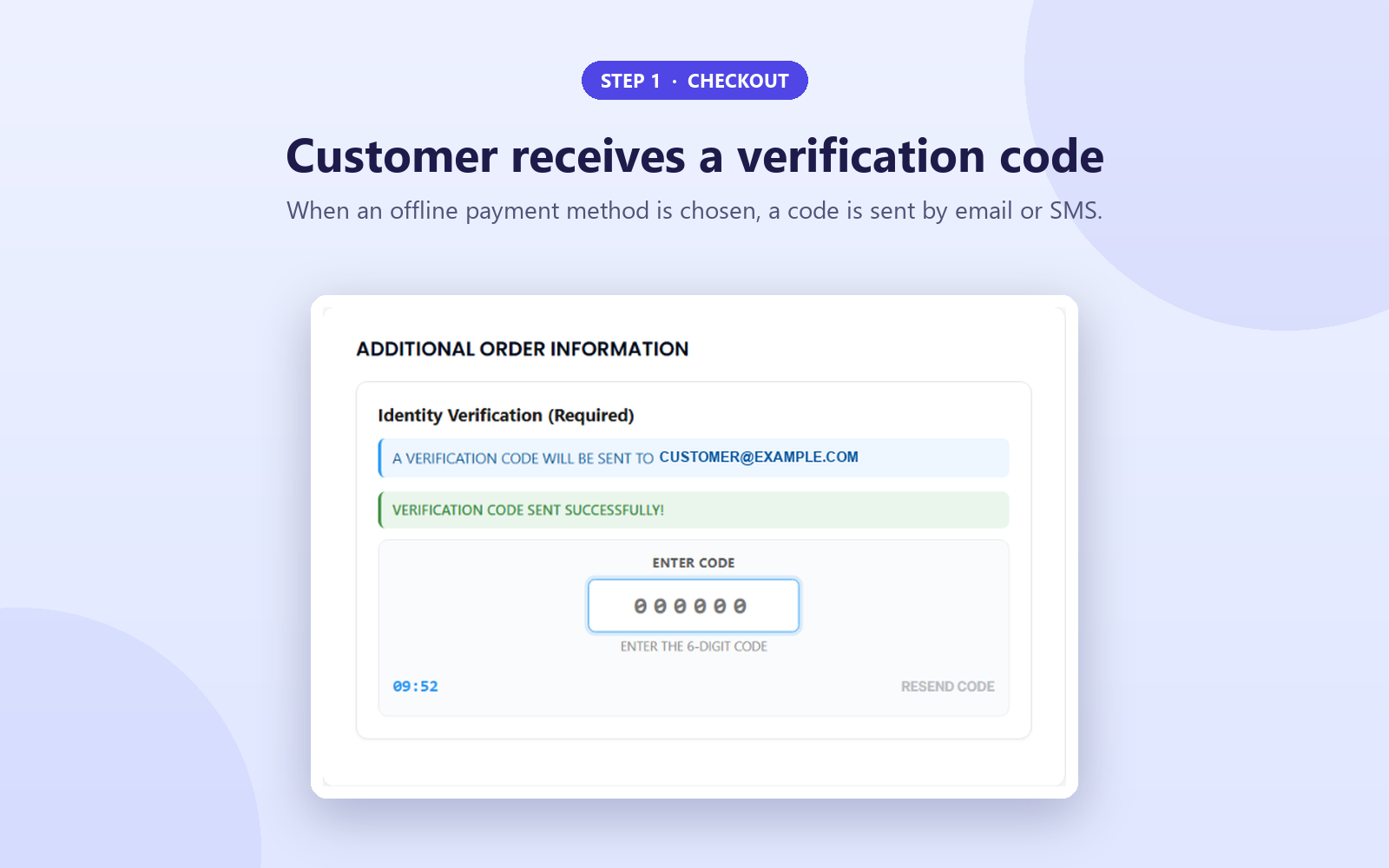
1Customer gets a code
When a customer picks Cash on Delivery, Bank Transfer or Cheque, a 6-digit code is sent to their email and/or phone.
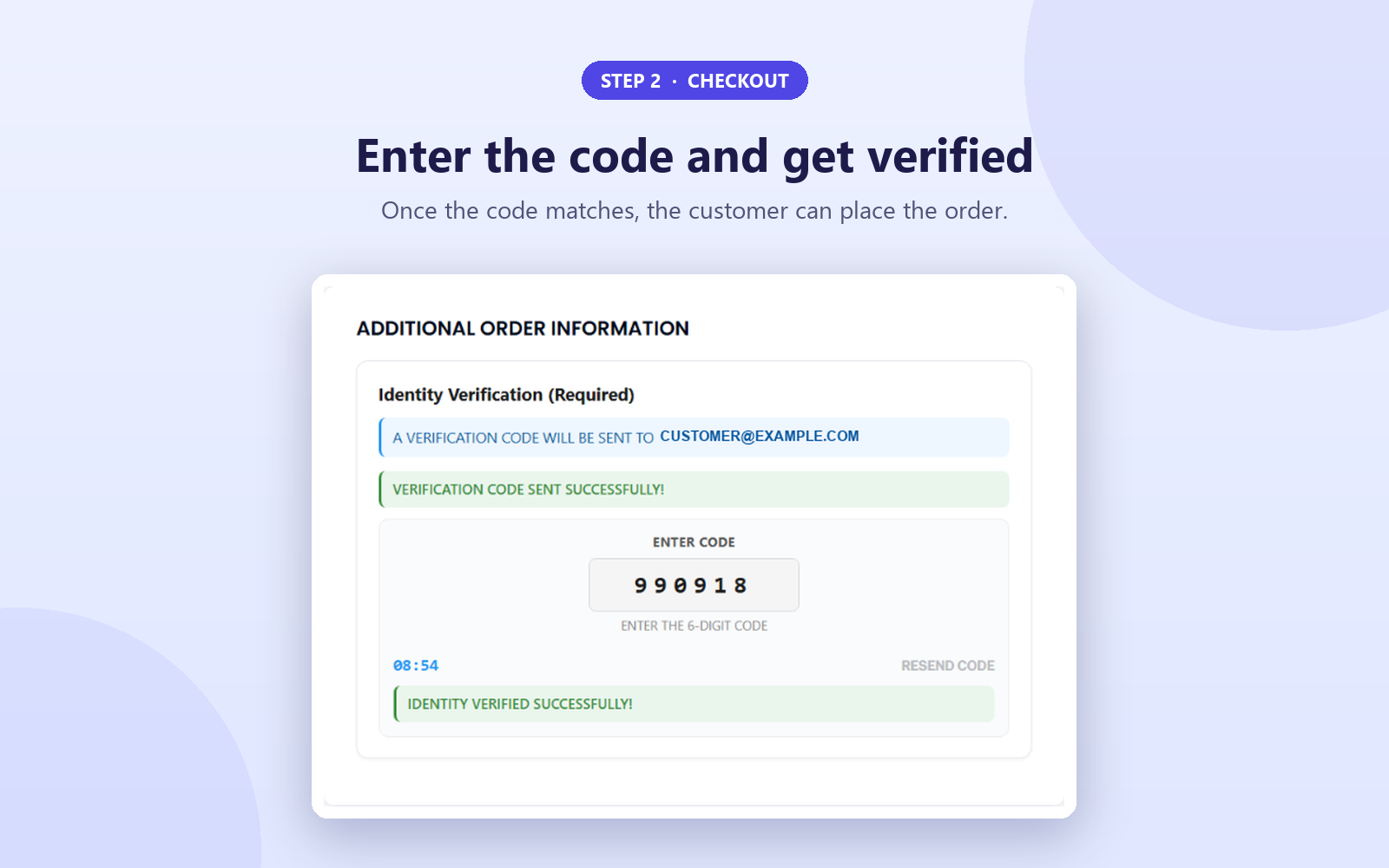
2They enter it at checkout
The code is checked right on the checkout page, with a live countdown and a resend button.
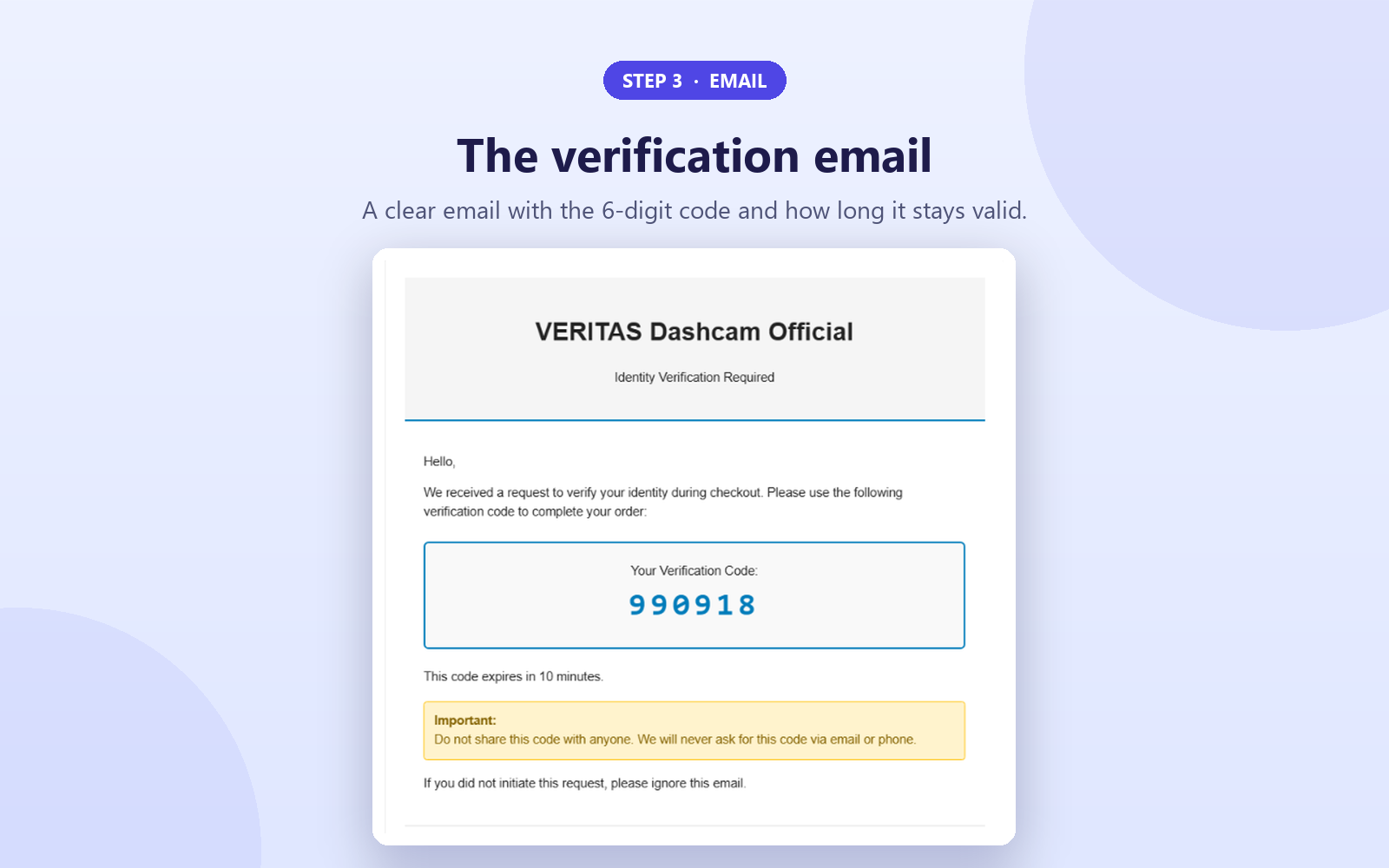
3A clear verification email
The email shows the code, how long it stays valid, and a reminder never to share it.
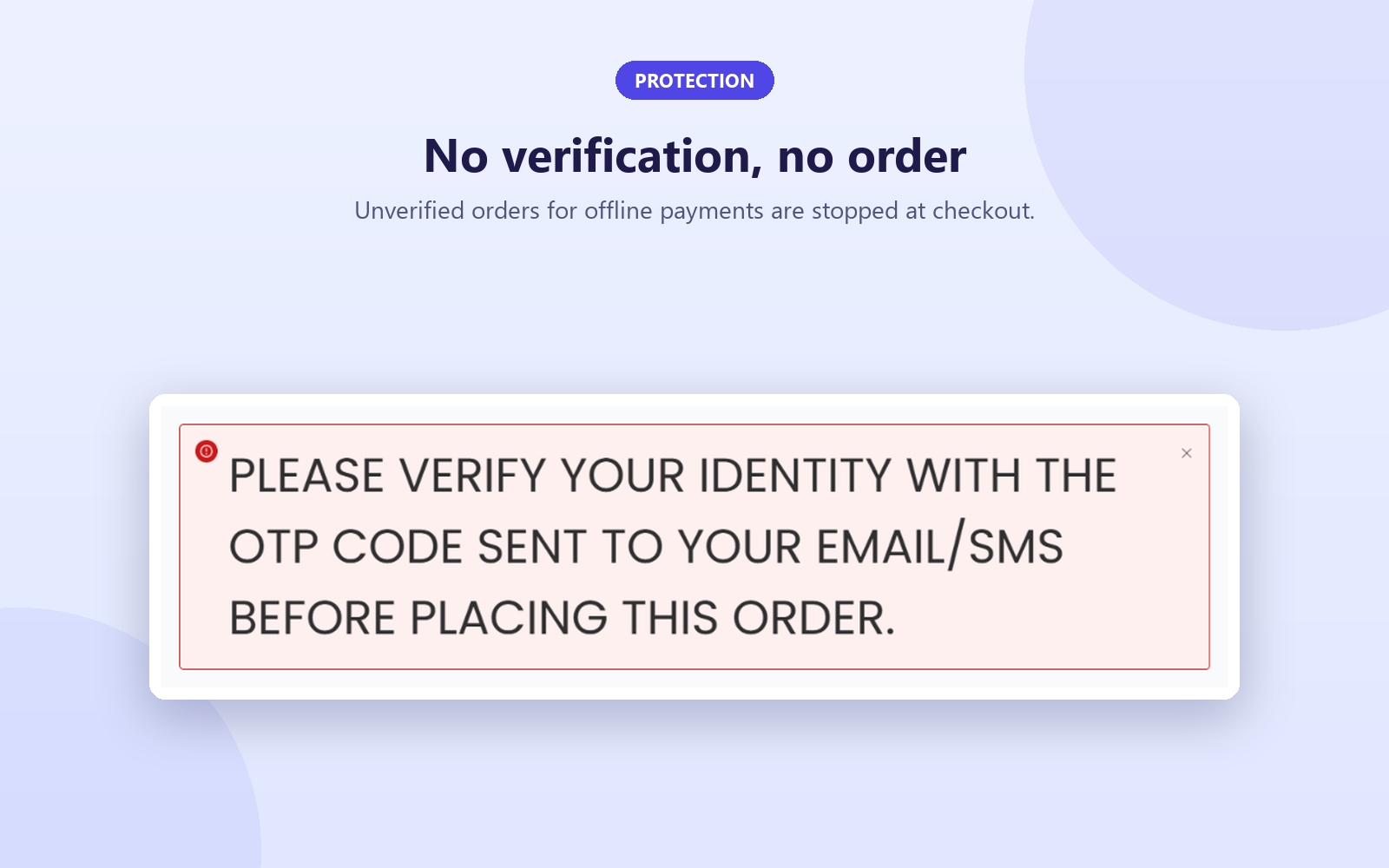
4No code, no order
If the code is not verified, WooCommerce refuses to place the order. This is checked on the server, not only in the browser.
Simple settings
Everything is on one screen under WooCommerce → COD OTP Settings.
- OTP length, expiry time and maximum attempts
- Resend cooldown, enforced on the server to protect your SMS budget
- Which offline payment methods need verification
- Delivery by email, SMS or both, with optional Twilio setup
- Auto-cancel for orders that are never verified
How to get started
- Install and activate WooCommerce if you have not already.
- Install this plugin from your WordPress dashboard (Plugins, Add New, search “COD Checkout Verification”) or from WordPress.org.
- Open WooCommerce → COD OTP Settings and choose your payment methods and delivery method.
- Optional: add your Twilio Account SID, Auth Token and phone number to send codes by SMS.
- Place a test COD order to see the verification step yourself.
Before you install: what you need
- WordPress 6.2 or newer, PHP 7.4 or newer, and WooCommerce
- Working email on your site (for email codes)
- A Twilio account, only if you want to send codes by SMS
Frequently asked questions
Does this work without SMS or Twilio?
Yes. Set the delivery method to Email Only and no third-party service is used. Email is sent through your own site.
Does it work with the WooCommerce Blocks checkout?
Yes. It works with both the block-based checkout and the classic shortcode checkout, using WooCommerce's official checkout APIs.
Which payment methods ask for a code?
Cash on Delivery, Direct Bank Transfer and Cheque Payment. You choose which of the three need verification. Card, PayPal and other online payments are never affected.
What happens if the customer never verifies?
The order cannot be placed until a valid, unexpired code is verified. You can also turn on auto-cancel for unverified orders.
Can someone abuse the "send code" button to run up my SMS bill?
The plugin enforces a resend cooldown on the server, so codes cannot be requested faster than the limit you set.
Is the plugin free?
Yes, it is free on WordPress.org. If you use SMS, Twilio charges for each message it sends.
Who makes this plugin?
CostaTech. Questions or problems: costatechnolab@gmail.com, or use the support forum on WordPress.org.
Verify your Cash on Delivery orders
“WooCommerce” is a trademark of Automattic Inc., and “Twilio” is a trademark of Twilio Inc. This plugin is an independent integration and is not produced, endorsed or supported by Automattic or Twilio.


